Copywriting Friday: Steve Jobs launches the iPhone
Copywriting Friday highlights the tools and techniques of persuasive content. Some of the examples may seem dated, but the principles are timeless (and critical for conversion rate optimization). Enjoy.
On January 9, 2007, Steve Jobs walked onto a stage at Macworld in San Francisco, and told the room he’d been looking forward to this day for two and a half years.
Then he made everyone wait.
Jobs’s restraint was the tell. The launch of the original iPhone wasn’t just a presentation, it was a sales page, performed out loud. Although it’s widely seen as a classic presentation, we also see it as a copywriting masterclass. Nearly every move Jobs makes on that stage is a move you can make on a landing page or in a launch email.
In the following article, you’ll learn how the iPhone launch uses:
- A withheld reveal, and why making people wait often beats leading with your best feature.
- Problem-first selling, and how naming the enemy makes your solution feel inevitable.
- Benefit-first specs, so every number you cite gives the reader a reason to care.
- One idea per screen, the visual discipline that most written pages break.
The agony of waiting
Here’s the first thing worth borrowing, and it’s the hardest for most marketers to do: Jobs refuses to lead with the product. He opens on a promise instead.
”Every once in a while, a revolutionary product comes along that changes everything.”
No phone yet. Just a frame, and a reason to keep listening. He builds credibility before he builds curiosity, reminding the room that Apple has done this twice already, with the Mac in 1984 and the iPod in 2001. By the time he says the word “today,” you already believe something historic is coming, and you still haven’t seen it.
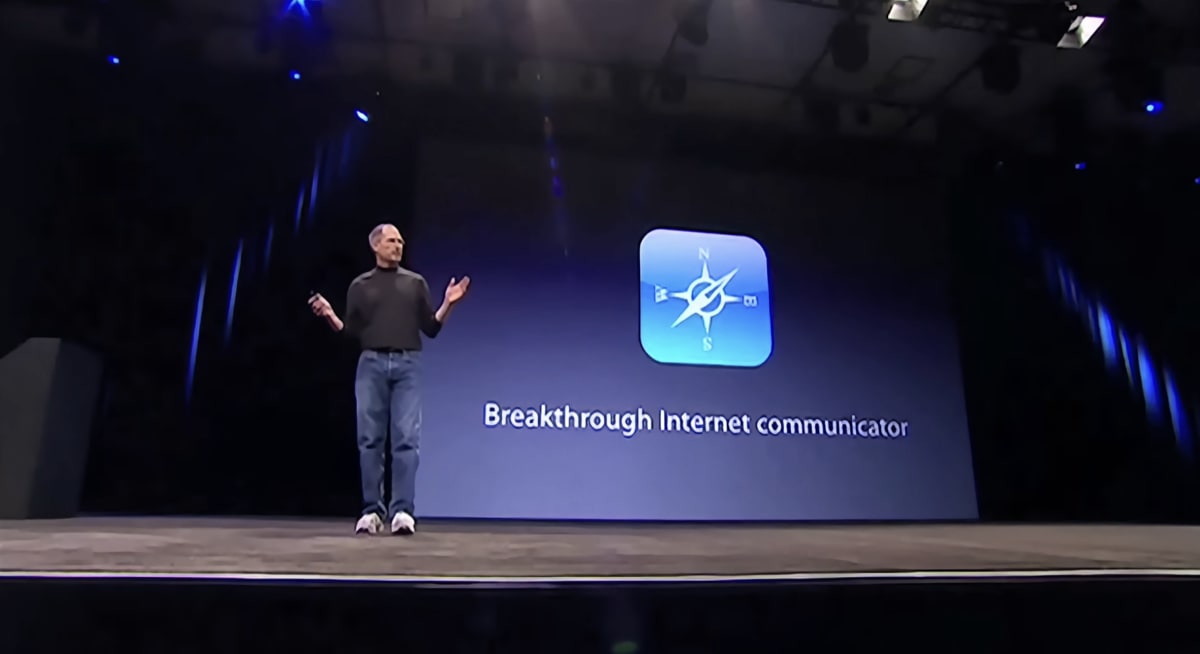
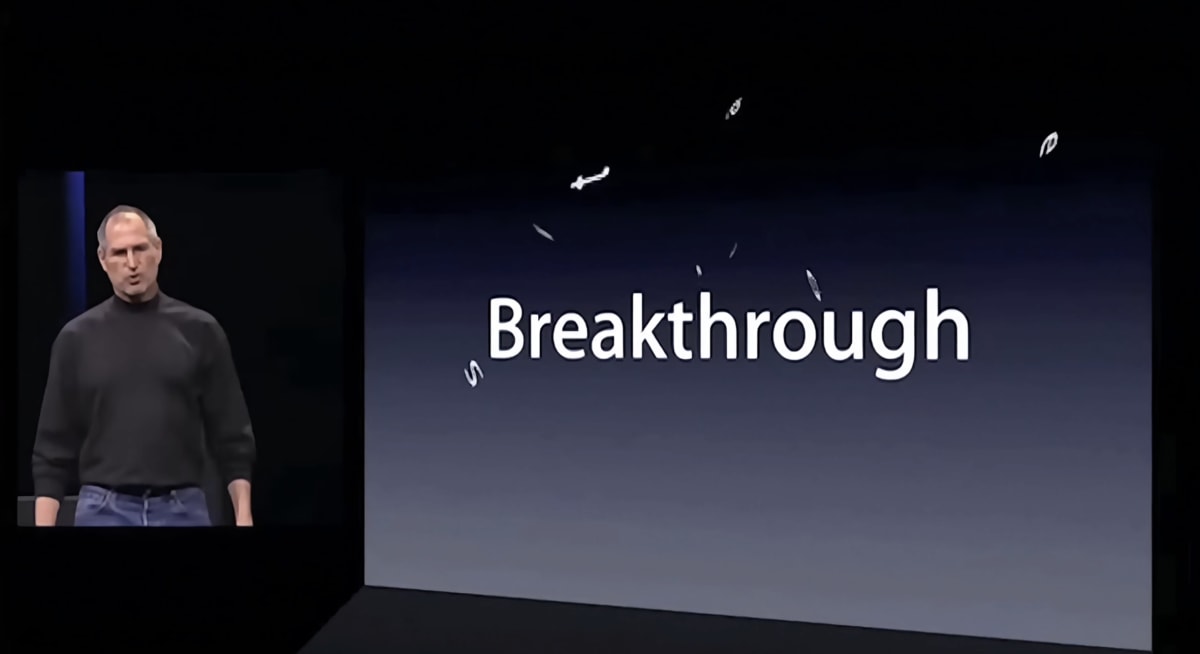
Then he plays a trick. He announces not one product but three:
“…a widescreen iPod with touch controls… a revolutionary mobile phone… and a breakthrough internet communications device.”
He repeats the trio, and repeats it again, faster each time, until the rhythm itself communicates an underlying message.
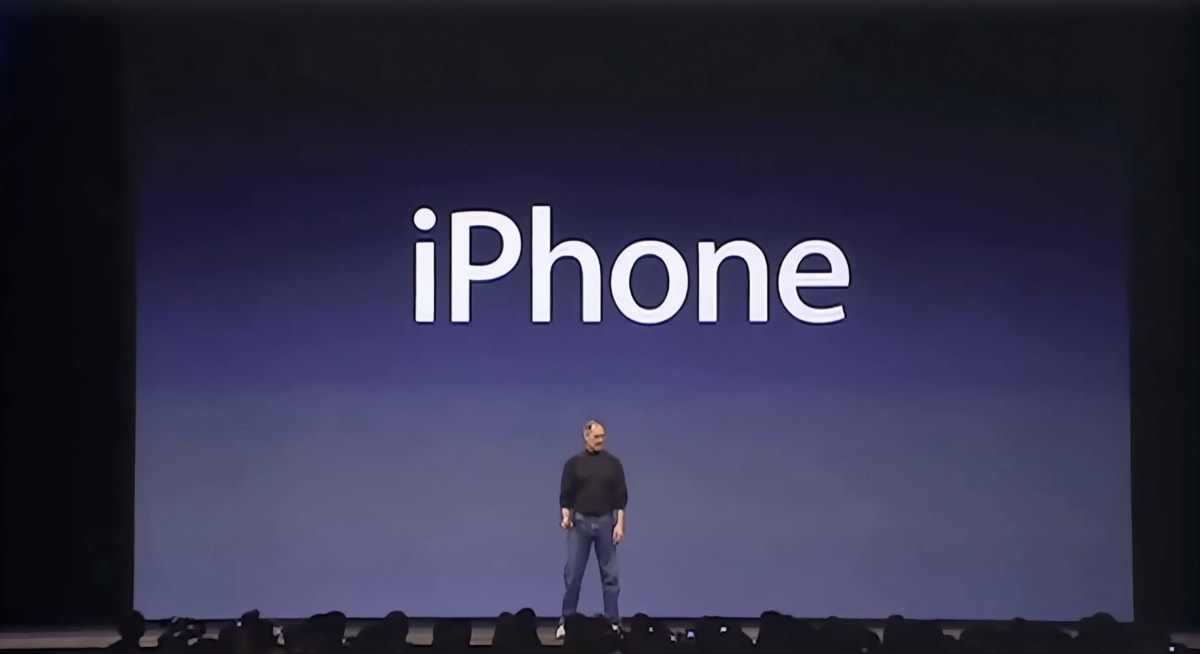
“These are not three separate devices. This is one device. And we are calling it iPhone.”
The repetition wasn’t filler; it was misdirection. Jobs conjured an ordinary version of the story so the real one would hit harder. This is what a good reframe does in copy: it makes you see the same thing in a new and more valuable way. For example, we both know that Jobs’s presentation wasn’t a “sales page performed out loud,” but reframing it that way helps us see its value differently.
After Jobs has revealed that the new device will be called iPhone, he reveals an image of what it will look like on the screen:
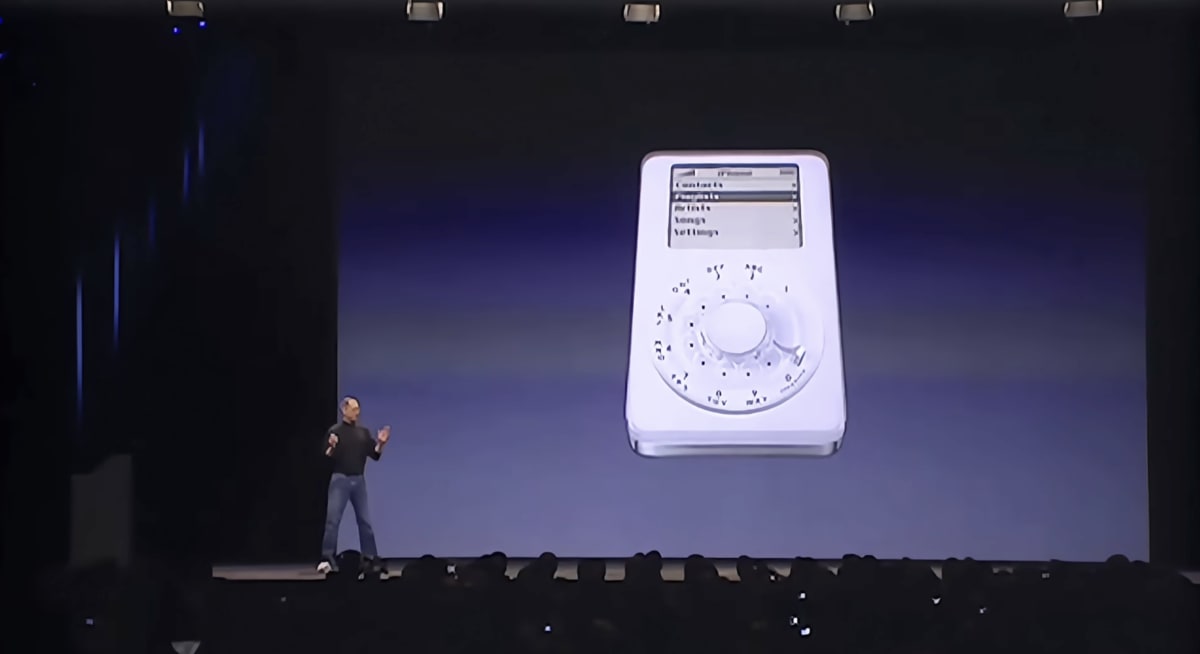
It’s a joke, of course, and while the audience is laughing, he pulls the actual prototype iPhone from his jeans pocket, and flashes it at the audience.
“Here it is, but we’re going to leave it there for now.”
And he immediately puts the iPhone back in his pocket. It’s a tease, and Jobs understands that at the right time, teases can cause us to lean in. If there is something we want… close but just out of reach… we want it more.
Jobs sold the problem before he sold the product
Before Jobs tells you why the iPhone is good, he spends several minutes telling you why everything else is bad. He names the enemy directly:
“The most advanced phones are called smartphones, so they say…”
You can hear the air-quotes around “smart” as he speaks. Jobs puts four of them on screen together, like a police lineup: the Motorola Q, the BlackBerry, the Palm Treo, and the Nokia E62.
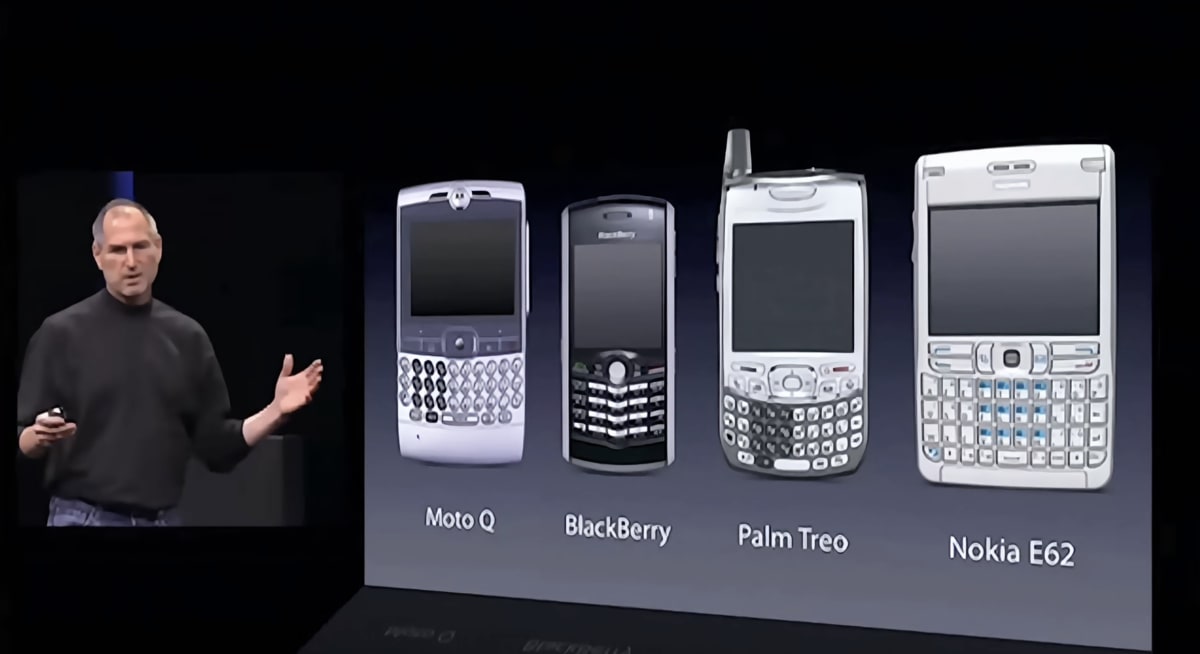
Then he diagnoses the disease. They all have plastic keyboards “there whether you need them or not,” fixed in place, unchangeable. “They’re not so smart,” he says, “and they’re not so easy to use.”
This is agitation, and it’s doing something specific. The bigger the itch, the better the scratch feels. By the time Jobs shows you the solution, you’re not evaluating a nice new phone. You’re being handed the escape from a problem he’s just made you feel.
We’ve written before about how Apple defines itself against a clumsier rival, in our breakdown of a 1992 ad that pitched the hard way against the easy way. The keynote runs the same play. It also mirrors what we’ve learned about selling to skeptical people: you win them by naming the thing they’re already frustrated by, out loud, before you pitch.
Is there a “plastic keyboard” in your market? Find the clunky, taken-for-granted thing your prospects have quietly learned to tolerate, name it, and make them feel it before you show them the way out.
He answered your objection before you could raise it
The best moment in the whole keynote is about a stylus.
Jobs has just argued for a giant touchscreen with no fixed buttons. There’s an obvious objection to that, and rather than hope you don’t think of it, he thinks of it for you, in your own voice.
“How are we going to communicate this? We don’t want to carry around a mouse, right? So what are we going to do? Oh, a stylus, right? We’re going to use a stylus.”
Long pause.
“No. Who wants a stylus? You have to get them and put them away and you lose them. Yuck. Nobody wants a stylus.”
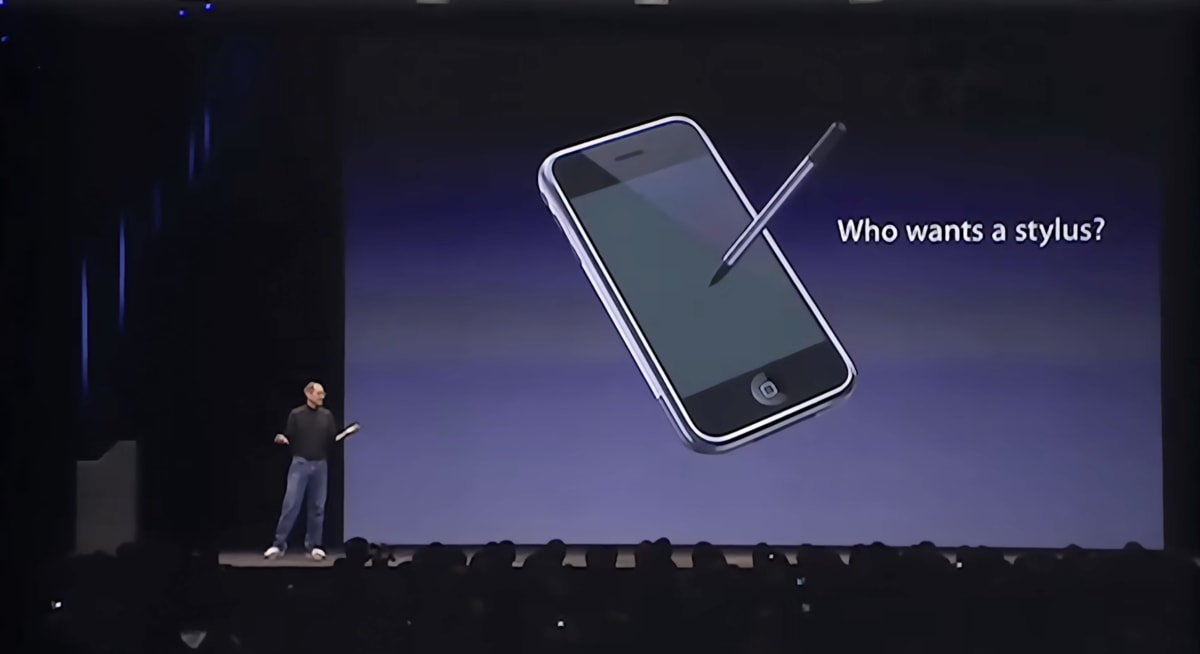
This whole section is really storytelling as strategy. In 2007 a stylus was a real answer, not a silly one. The Palm Treo and Windows Mobile phone both shipped with them. So Jobs raises the objection his audience is genuinely holding, sits in it for a beat so they nod along, then dismisses it with a single word a real person would use:
“Yuck.”
By the time he arrives at his answer, fingers and a revolutionary technology called multi-touch, it’s landing in a fertile field. Of course, Jobs can get away with casually dismissing the stylus because the room loves him. On a cold page, in front of a reader who doesn’t, the more practical move would have been to follow the Steel Man approach, and state the opposing view at its strongest before you answer it.
Either way, the principle holds. Every prospect you have is running a silent list of objections while they read your ad or watch your presentation. You can pretend the list isn’t there, or you can say each item out loud and handle it before it hardens into a reason to leave.
Whatever your reader’s version of “who wants a stylus?” is, you should aim to get there and address it before them.
He turned every spec into a reason to care
When Jobs finally tours the hardware, notice what he never does. He never states a number and leaves it lying there.
The iPhone has a proximity sensor. On its own, that’s a spec, and nobody buys a spec. So he immediately tells you what it’s for:
“…when you bring iPhone up to your ear to take a phone call, it turns off the display… so you don’t get spurious inputs from your face.”
The ambient light sensor isn’t a feature either. It’s a benefit in disguise:
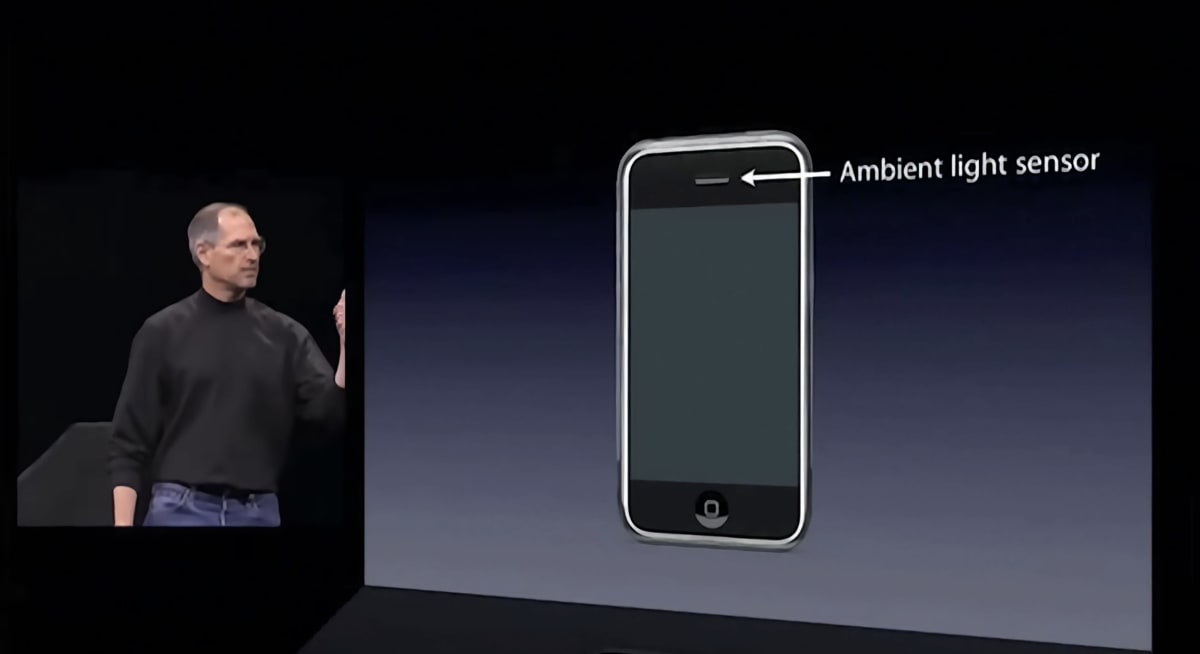
“…adjust[s] the brightness of the display… better user experience, saves power.”
This is the discipline behind one of our most-referenced articles, on why “describe benefits, not features” is bad advice. The trick is pairing each feature with a reason to care. Jobs states the feature and the benefit, so the number becomes proof of a promise rather than a line on a spec sheet.
And the numbers are specific.
- Not ”a sharp screen” but ”160 pixels per inch, highest we’ve ever shipped.”
- Not ”very thin” but ”11.6 millimeters, thinner than the Q, thinner than the Blackjack” (a rival Samsung phone), ”thinner than all of them.”
- Not ”we’ve sold a lot of iPods” but ”our 100 millionth iPod this year.”
As we have said many times, specifics persuade where superlatives bounce off, because a real number reads like a fact and a vague boast reads like marketing. Apple leaned on the same instinct in a later launch we admired, where it borrowed a 100-year-old persuasion strategy to make its manufacturing feel like proof.
Take one feature line from your own page. Does it just state what the thing is? Rewrite it so it states what the reader gets, then let the spec back it up. “256-bit encryption” becomes “your data stays unreadable even if the file is stolen, which is what the 256-bit encryption is for.”
He let other people make his boldest claims
At the point where Jobs wants to argue that Apple builds better phone software than anyone alive, he doesn’t say it himself. He puts a quote on the screen.
“People who are really serious about software should make their own hardware.”
The line is from Alan Kay, one of the genuine pioneers of personal computing, who said it decades earlier. Jobs lets Kay make the immodest claim so he doesn’t have to. Borrowed authority reads as fact; the same words from Jobs would have read as a brag.

He borrows from the room, too. When Apple released the video of the keynote, it included many shots of the audience laughing and applauding. This social proof was the start of people learning to want the phone that other people wanted… and we know what that did for Apple.
You can’t put a laughing keynote crowd on your landing page. But you can put the transferable version of it there: a customer’s exact words, a recognized name from your field, a live count of sign-ups, a wall of real reviews. There are many ways to improve the value of testimonials.
Whose voice could say the boldest true thing about your product better than you can?
One idea per screen
Here’s the technique most copywriters might skip over, because it lives in the visuals rather than the words. Look at what’s actually on Jobs’s slides.
Almost nothing.
When he reveals the iPhone’s name, the screen is one green icon with the word “iPhone” laid over it.
When he tours the phone, it floats alone against a black background, and the spec, “160 ppi," the same 160 pixels per inch from a moment earlier, appears on the device’s own screen, so the claim and the object are fused in one image.
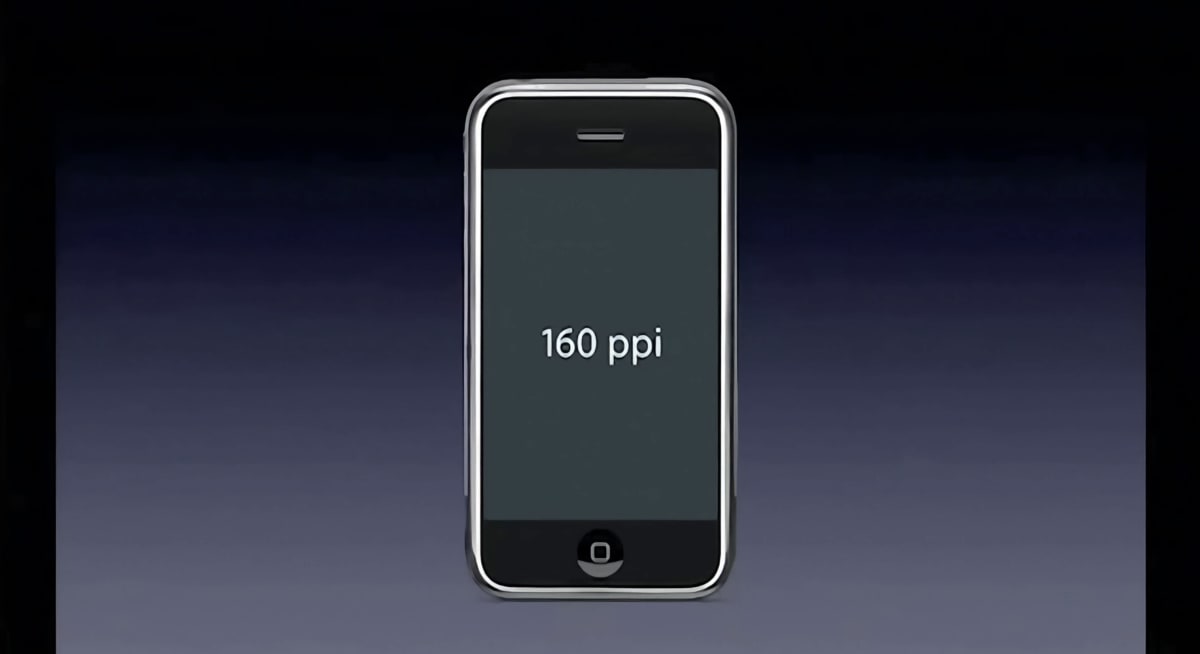
There isn’t a bullet-point list anywhere in sight. Every slide carries exactly one idea, which leaves the audience free to listen instead of racing ahead to read. Your eye and your ear aren’t fighting each other.
Now think about the last landing page you built. Chances are a single screen asked the visitor to read a headline, three feature columns, a testimonial, and two buttons, all at once.
Jobs would have made that five screens, each with one job.
The lesson transfers straight to the page: one message per section, room around it, and nothing competing with the thing you most want seen.
“Are you getting it yet?”
In this article, we’ve covered six moves from one morning in 2007. These are the withheld reveal, the problem named before the pitch, the objection raised in the reader’s own voice, the spec turned into a reason to care, the claims spoken in someone else’s mouth, and one idea alone on each screen.
They look like six separate techniques, but step back and they collapse into one. In each case, Jobs is simply deciding what his audience needs to see next, and giving them only that.
So when you open your next product, an email or a landing page, make sure that it’s a sequence, not a pile. At each point, ask the question Jobs was really answering for those fourteen minutes: What do I want the reader to feel next, and what is the single thing that gets them there?
Are you getting it yet? These are not separate devices.
See you next time on Copywriting Friday.
How much did you like this article?
What’s your goal today?
1. Hire us to grow your company
We’ve generated hundreds of millions for our clients, using our unique CRE Methodology™. To discover how we can help grow your business:
- Read our case studies, client success stories, and video testimonials.
- Learn about us, and our unique values, beliefs and quirks.
- Visit our “Services” page to see the process by which we assess whether we’re a good fit for each other.
- Schedule your FREE website strategy session with one of our renowned experts.
Schedule your FREE strategy session
2. Learn how to do conversion
Download a free copy of our Amazon #1 best-selling book, Making Websites Win, recommended by Google, Facebook, Microsoft, Moz, Econsultancy, and many more industry leaders. You’ll also be subscribed to our email newsletter and notified whenever we publish new articles or have something interesting to share.
Browse hundreds of articles, containing an amazing number of useful tools and techniques. Many readers tell us they have doubled their sales by following the advice in these articles.
Download a free copy of our best-selling book
3. Join our team
If you want to join our team—or discover why our team members love working with us—then see our “Careers” page.
4. Contact us
We help businesses worldwide, so get in touch!
© 2026 Conversion Rate Experts Limited. All rights reserved.
A Brandwidth Group Company.